Brand content
72 hours of a cup of coffee
AI generates layouts in real time from your content, so you can skip the same old templates.
Auto-add images and copy to WeChat in one click; agent-driven, edit through AI chat.
Recruiting and admissions, holiday greetings, food and lifestyle - find a style that fits you.
Brand content
72 hours of a cup of coffee
Holiday greetings
Mid-Autumn Festival corporate greetings
Food & lifestyle
City morning market food tour
Solar term culture
Cold Dew solar term post
Community notice
Community health clinic notice
Recruitment & admissions
Campus recruitment launch post
Health guide
Children's eye health guide
Course enrollment
Language school admissions guide
WeChat layout tutorial
AI generates a layout from your content, and the full editor lets you adjust anytime. Change one paragraph or the whole piece - just say so.
Paste an existing draft, or describe the topic and audience. Upload your own images via Images/Files; if you need the original text kept, say so.
Use the paragraph block toolbar to adjust content and style, or chat directly with the Kuxuan AI agent. Want to change text, images or layout? Just say what you need.
In the workspace, open Share & Export, choose Copy to WeChat, then paste into the WeChat backend. Preview to check images and layout, then publish.
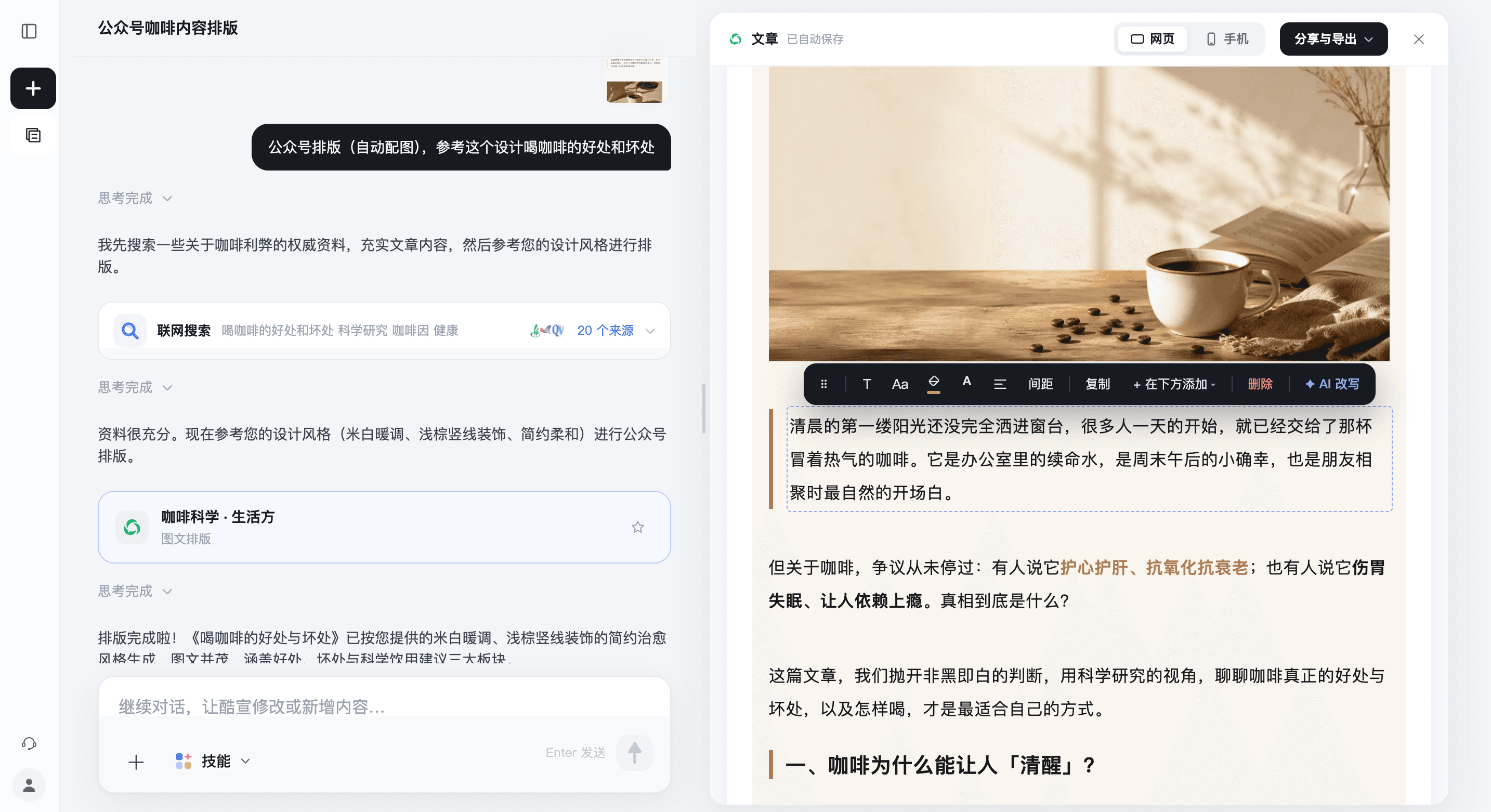
Edit text, font size, color and spacing directly, drag to reorder paragraphs, and insert or replace images. When you need AI help, click AI Rewrite in the paragraph block toolbar and describe what to change in that paragraph.
"Make this paragraph more concise and friendlier in tone, keep the meaning."
Tell the Kuxuan AI agent in the chat which paragraph, which image, or the whole article's colors and layout to change. Describe the changes clearly, review the result, then keep chatting and refining.
"Change the whole piece to a clean blue-and-white palette, increase paragraph spacing, keep the body text the same."
WeChat covers generated by Kuxuan AI automatically include both landscape and square formats. Colors and style stay consistent, titles and subjects fit each format, and after uploading the cover both ratios are covered - more share-friendly, with higher click-through.
Just tell Kuxuan AI the article topic or the cover style you want, and both landscape and square versions are ready together, saving the hassle of repeated adjustments and cropping.
After formatting your WeChat article, click Xiaohongshu in Share & Export. AI generates note copy and images from the article, turning the same content into an expression suited to Xiaohongshu.
After generating, you can keep refining via chat, then publish once you've confirmed the content.
Learn about AI Xiaohongshu note generationYour next post starts here
Before you start, you may want to know
From the first line of text
to a post ready to publish.
Yes. Paste the text directly and say you want to keep the original content and only adjust the layout; you can also add brand colors and layout requirements. After generating, you can still check and edit the text in the workspace.
Yes. In the paragraph's block toolbar, click "AI rewrite," describe whether to shorten, expand or adjust the tone, then send. You can also tell the Kuxuan AI agent in the chat which paragraph to change and how.
Yes. In the chat, tell the Kuxuan AI agent what to change, for example "change the whole article to blue and white and increase paragraph spacing." After reviewing the result, you can keep chatting to adjust; for fine-tuning, you can also edit text, images and styles directly in the editor.
Yes. After logging in, upload materials via "Image/File" in the input box and explain how and where the images should be used. You can also have Kuxuan AI generate images based on the content; after generating, check that the text and images meet your publishing needs.
Open the finished article in the workspace, click "Share & export," choose "Copy to WeChat," then paste it into the WeChat official account backend editor. Before publishing, use WeChat preview to check images, spacing and layout details.
Yes. In the input box, describe the topic, the readers and the information to include, and Kuxuan AI can help draft and format it. For factual details such as dates, addresses and prices, provide accurate content and check before publishing.
Yes. New users get free credits on sign-up, so you can paste a draft or describe a topic to try WeChat article formatting. AI generation and AI edits use account credits, and images generated during the free trial carry a Kuxuan watermark.
Yes. The mobile version offers the full editor, and all operations can be done on your phone. For a better editing experience, we recommend using a computer (PC).